
It is recommended to use the Config Switcher that is available in the Start menu under the program group and Novapoint Geosuite Toolbox to set the desired versions of AutoCAD and Novapoint.
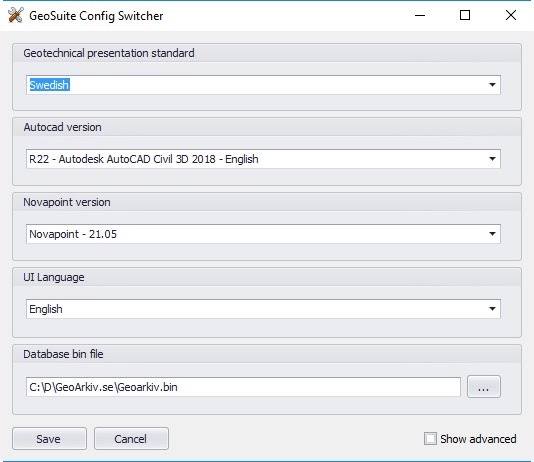
However, it is possible to make the corresponding configuration directly in the Geosuite.ini settings file, as described below.
Manual configuration of Geosuite Toolbox
Adjust the value of NOVAPOINTVER and NOVAPOINTPATH to the current Novapoint version as desired. In order for Geosuite Toolbox to communicate with Novapoint Base, you must define settings in Geosuite. Do as follows:
-
Open Geosuite Toolbox.
-
Select .
-
In section [SYSTEM], define the following parameters:
- NOVAPOINTVER=21.xx
- NOVAPOINTPATH=C:\Program Files\Vianova\Novapoint\21.xx\NP_Acad
Note: The ACADEXE parameter should still point to AutoCAD/Civil3D startup. This is a difference between what is applied to Novapoint 18 and older.
Example:
