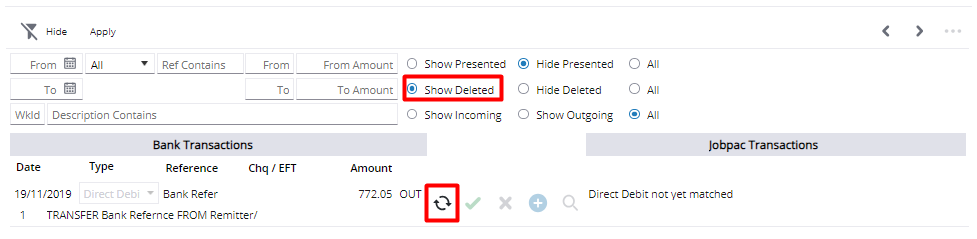
Delete a bank statement transaction if it was previously presented outside of the matching process to ensure your Jobpac balance remains accurate. You can restore these records at any time.
Deleting a Bank Statement Transaction from the matching process can be required if the Jobpac balance already includes the value of the reconciled transaction. For example, Jobpac transactions entered General Journals are currently considered presented on entry. Another example might be if you have already presented a Deposit during the entry of the Deposit outside of the Bank statement Matching process. Should you need to delete a Bank Statement Transaction you can use the Trash icon as shown below.