
If a new GL account is required in a Workid, it first must be setup in the Master Chart of Accounts.
Menu path is:
.
Just enter the new account and description in the row at the bottom. Existing Descriptions, and Control Account flags can be changed directly on the screen.
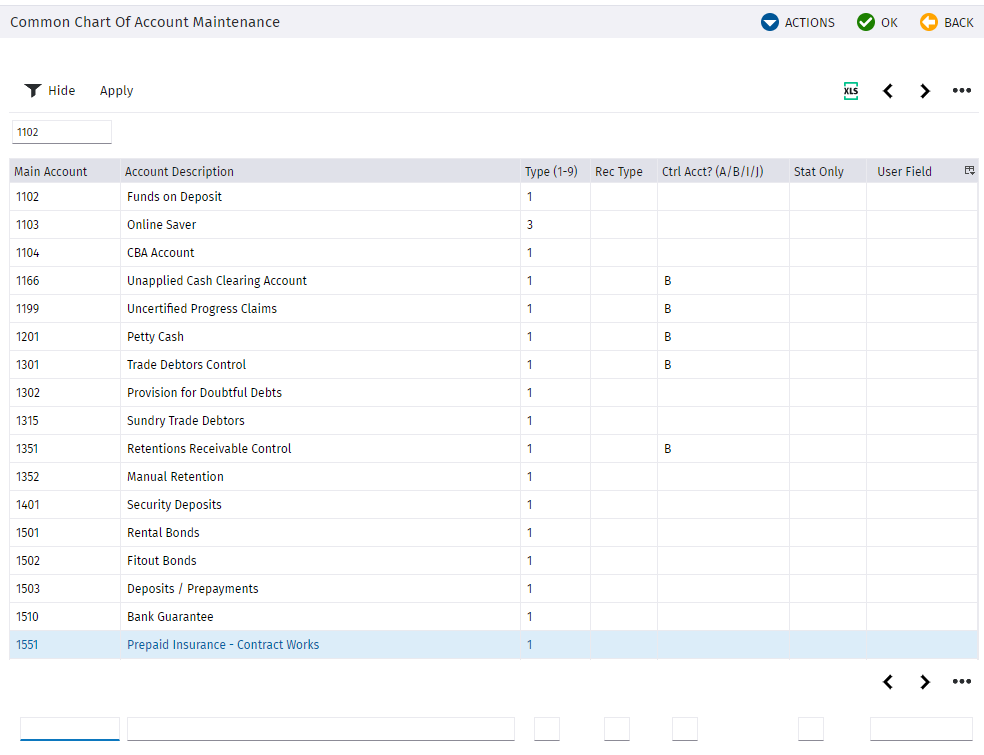
The Master Account must be setup before the GL account for the workid can then be set up.
The entries STAT ONLY and USER FIELD are no longer used.
There are Right Mouse options for:
BFM Trading Summary (use of this option is described in the Contract Valuation Guide)
Delete. The Master Chart item can be deleted if it has not been used in a Workid Chart of accounts
The other two options are no longer used.