Determine whether to send timesheets through one level of
approval or two levels of approval.
-
In Traqspera, select .
The
Settings and
Permissions page opens.
-
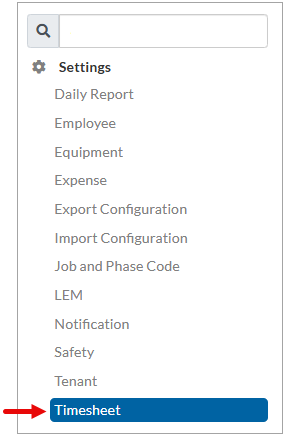
From the list of settings categories on the left
side of the page, select .
Tip: You can also
search for the setting name using the search field above the category
list.
-
In the main area of the window, expand the
Approval Workflow
section.
-
Select your Approval Mode:
-
1 Level Approval: Only
one approval is required for a timesheet.
-
2 Level Approval - No Order: Two approvers are
required for each timesheet entry, and they can approve in any
order.
Note: To use two-level approvals, you must use per entry
approvals on the Timesheet Summary
(the setting Use Per Entry Timesheet Approval must be
enabled).
-
2 Level Approval -
Strict: Two approvers are required for each
timesheet entry, they can approve in any order, and only
timesheets with two approvers will be exported to Spectrum.
Note: To use two-level approvals, you must you must use per
entry approvals on the Timesheet
Summary (the setting Use Per Entry
Timesheet Approval must be enabled).
-
Select Save.
