
Once the union benefits have been set up as add-on codes, the following is the best practice for setting up unions with benefit tiers.
-
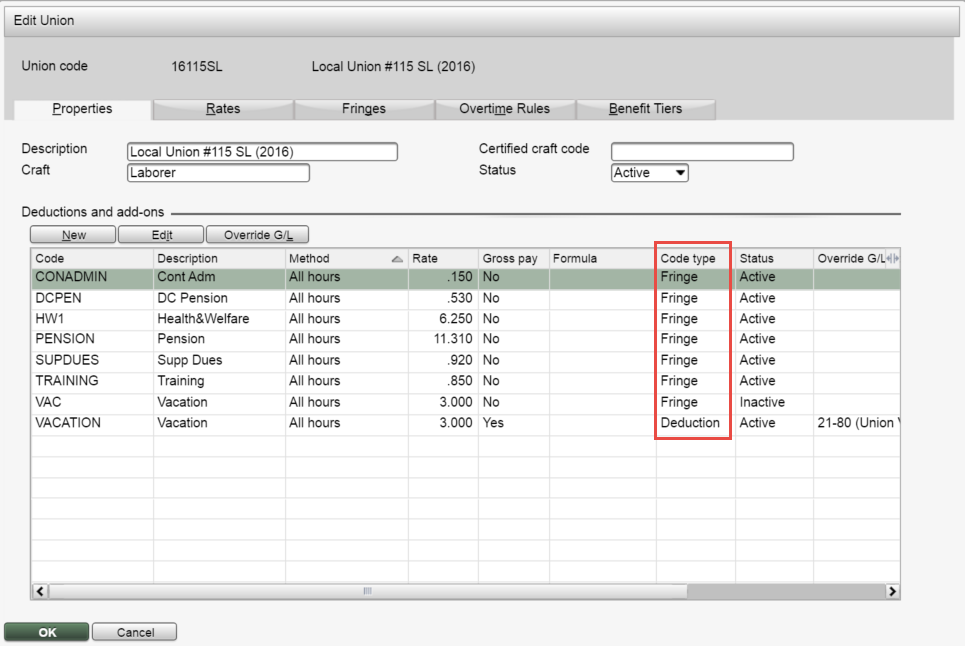
Create a new union code and enter the union's Description, Craft and Certified craft code on the Properties tab.
- Navigate to the Overtime Rules tab and set any applicable rules.
- Navigate to the Benefit Tiers tab and create a code for every level or step within the union. These will be used as overrides to set specific benefits.
- Return to the Properties tab and add all union deductions, add-ons and fringe benefits. Note that add-ons not paid to the employee will be listed as 'Fringe' on this tab.
-
Click the Benefit Tier Overrides button to set tier-specific override benefit rates.
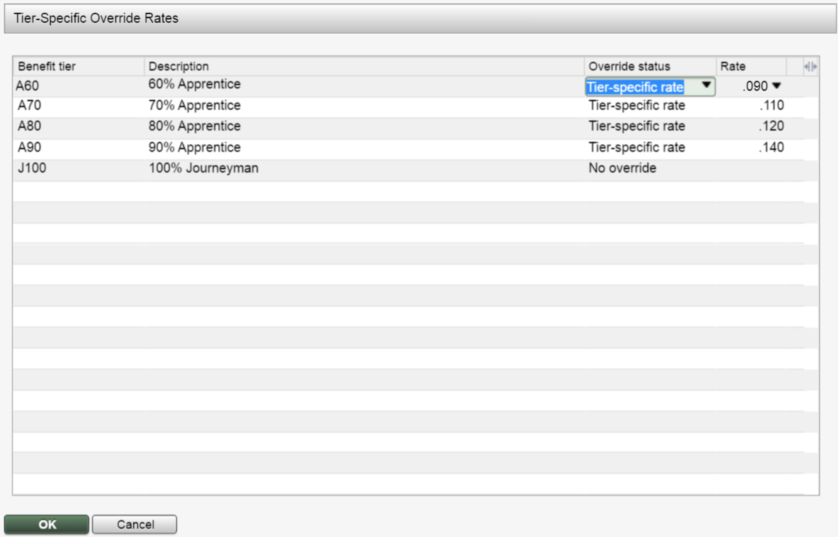
Three options are available for each union benefit tier:
No override: The standard union calculation will be performed during payroll processing. The rate used is the one appearing on the Properties tab.
Not applicable: This code will be skipped and not used.
Tier-specific rate: User is prompted to the override rate.
When the add-on code uses a formula, open the rate field to define each tier's variables.
Note: The software will continue to skip all calculations for
'inactive' deductions and add-ons. For Deduction/Add-on calculations that will only
apply to certain Benefit Tiers (but not the main Union), it will be recommended that
code be configured with a zero rate in the main Union setup (but leave it 'Active'), and
then set up the overrides with applicable rates.