
Active Expense users are users that have access to the Expenses area of the portal.
Watch how active HR Management users, including Expense users, are counted.
Find User counts
If active user counts are higher than the number of licensed users, you can
adjust user access to modules. The Portal Settings page () shows a current count of active users.
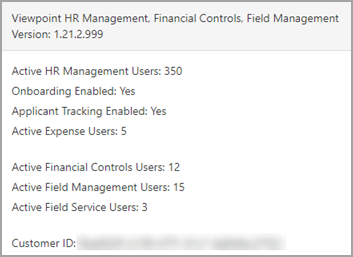
Review or Adjust User Counts
To review or adjust user counts, select :
Active Expense users have access to Expense Reports, which allows them to enter and submit expenses. If the Active Expense user count is higher than you expect, you can deselect the Expense Reports checkbox for employees who should not have access.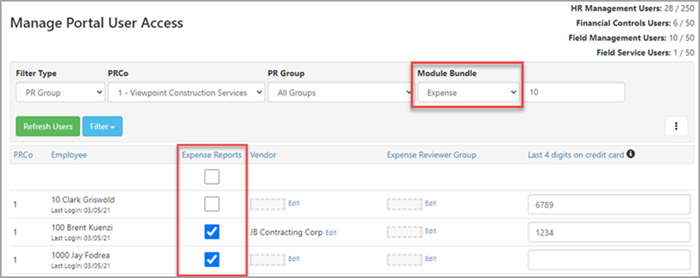
Audit User Counts
For a full audit of who has access to modules, review the License Count Report. To generate this report, select Export License Report from the Portal Settings page ().