
An administrator can track, resend, or revoke invitations that have been sent.
To track, resend, or revoke an invitation, navigate to in an enterprise, site, or project. A list of invitation batches sent from that level is displayed.
Note: To view all of the invitations that have been sent in an enterprise, site, and project,
navigate to in the enterprise and click the Sub Containers
box.
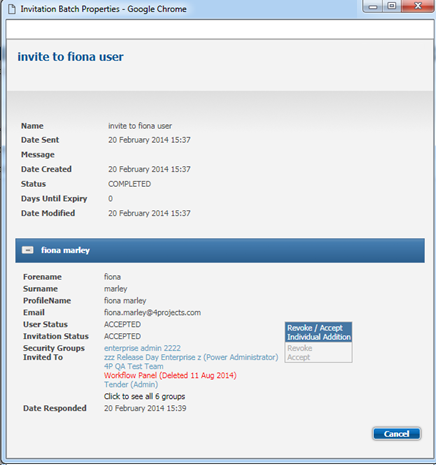
In the list of invitation batches, click on a batch to view the invitation details.
To resend the invitations to all recipients that have not already accepted the invitation, click the Redespatch icon.
To revoke a user's invitation, expand on the user and click Revoke. Alternatively, click Accept to accept the invitation on behalf of another user.
Note: You can accept an invitation on behalf of a new user only. To accept an invitation on behalf on another, you need to be the user that created the invitation.
To view details of a security group that the user was invited to, click on the name of the security group.