
Column Capital
Not version-specific
Tekla Structures
Environment
United States (Imperial)
United States (Metric)
Purpose and description
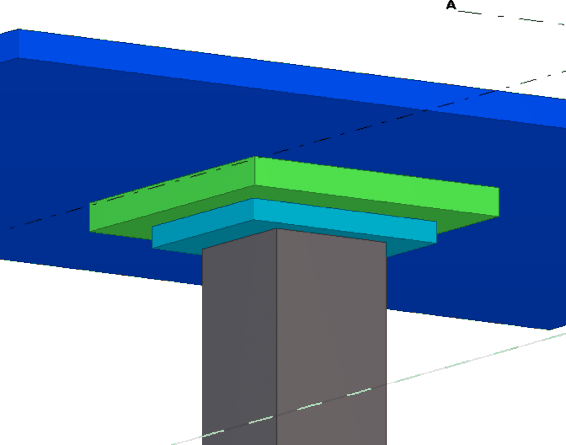
Makes creating capitals for column under concrete slabs into a one step process. This tool makes creating them much easier. This tool is included in the Concrete Tools extension.Back to top
System requirements
Environments: US Imperial, US MetricLanguages: English
Back to top
Installing Column Capital
To install the application:- Close Tekla Structures (if running)
- Download MSI Installer from Tekla Warehouse
- Install and run MSI Installer
- Start Tekla Structures
- Open Model
- Before version 2016: A new toolbar icon which will launch the tool should now be visible. For 2016 version and newer: a new thumbnail under Ungrouped items in the Applications and components side pane will appear.
Using Column Capital
To use this tool, the user needs to select an existing Tekla slab and then column that you want to create a capital on.Image
This tab allows the user to offset the capitals from the column and the rotation of the capitals based on the column.
Image

Image

Slab 1 Tab:
Define the upper capital size and depth, etc.
Image

Slab 2 Tab:
Define the lower capital size and depth, etc.
Image
