
Use the Point Flow function to trace a flow of water released from a selected grid cell.
The analysis is run without any pre-processed fillsink operations. If it hits a depression (low-spot), it will fill up this area with water and create a basin. At some point the basin will overflow, find its way out and proceed towards lower terrain.
Calculation Mode = Single

- Click the Point Flow icon. It will highlight when active.
- Set Single as calculation mode.
- Select a starting location within the Bounding Box.
- The function will display the path and all basins created on its way.
- Repeat steps 3 and 4 - the previous result will be removed before displaying the next.
Calculation Mode = Multiple

- Click the Point Flow icon. It will highlight when active.
- Set Multiple as calculation mode.
- Select a starting location within the Bounding Box.
- The tool will display the path and all basins created on its way.
- Repeat steps 3 and 4 - the previous result will not be removed before displaying the next.
- Use the Clear All button to clean the display of previous results.
Calculation Mode = Collection
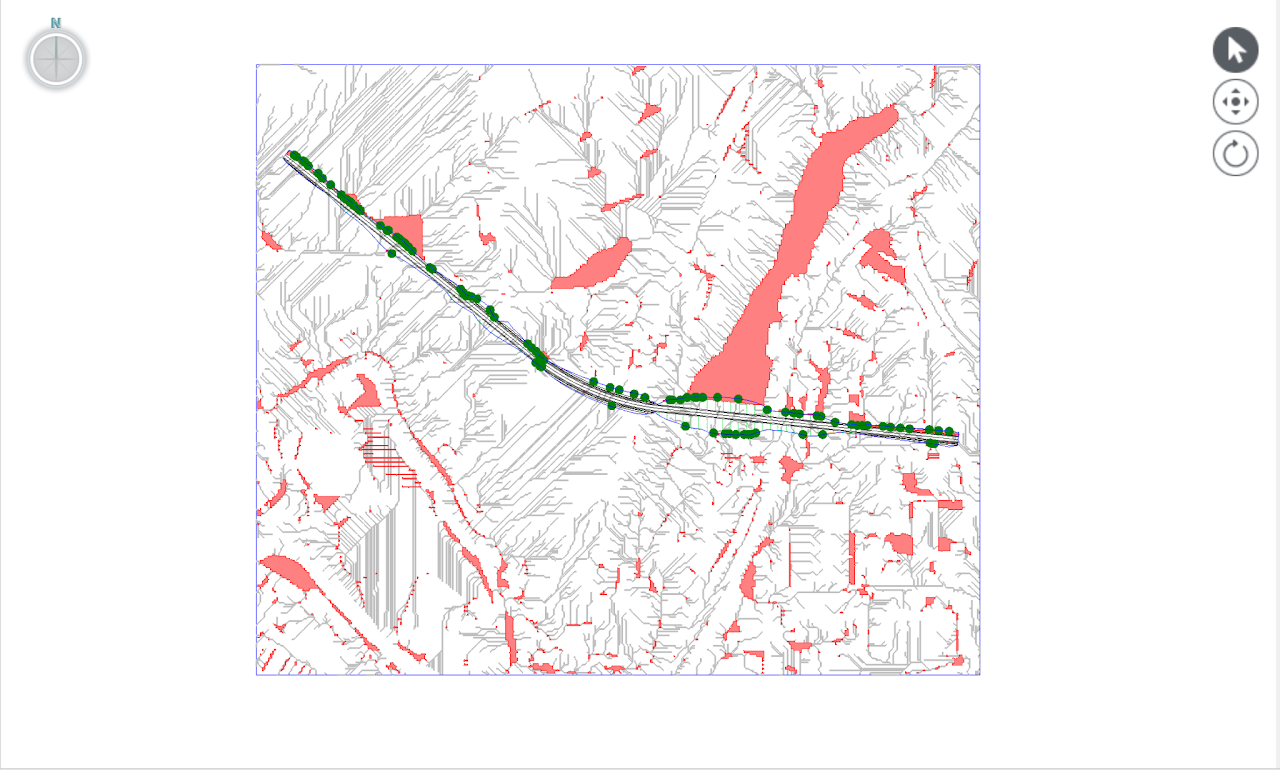
Collection is a special mode where the calculations are run from a pre-selected set of locations:
- Starting location of all drainage lines that intersects the design model.
- A random fillsink cell from all clusters of fillsink areas in the referenced Terrain model.
- Set Collection as calculation mode.
- The tool will display all basins created but the paths are omitted.
Draw profile (optional)
If the Draw Profile checkbox is selected (single mode only), a terrain profile will display in a separate window.

Basin Volumes
Click on any basin and information about its volume and depth will be calculated and displayed in the Process Info window.
