-
Click
 in the system tray at the bottom right of your
screen.
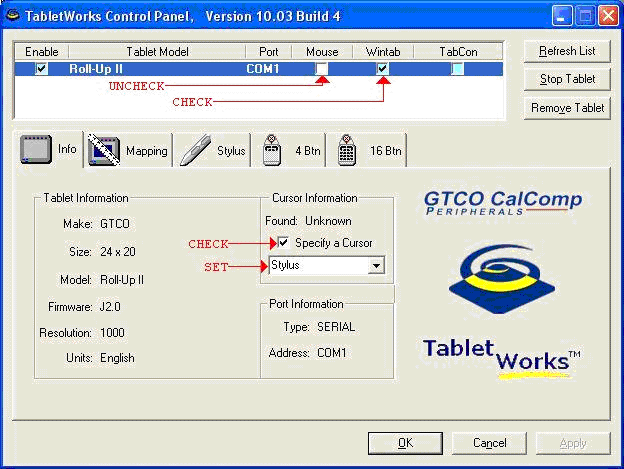
The TabletWorks Control Panel appears.
in the system tray at the bottom right of your
screen.
The TabletWorks Control Panel appears. -
In the Specify a
Cursor drop-down list, select the type of input device your digitizer
uses.