
You can access Automatic Invoicing from the Trimble Construction One home page.
From the Trimble Construction One home page, under Accounts Payable, you can see the status of recent batches.
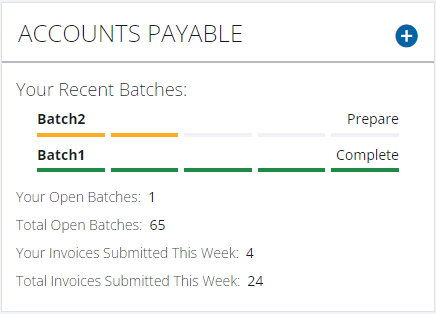
- To open the Accounts Payable page where you can access all batches in progress, select the Accounts Payable heading.
- To add a new batch, select the plus icon.
- To continue working on a recently saved batch, select the name of the batch.
- From the Trimble Construction One home page, select the main menu in the upper left-hand corner, and then select Accounts Payable.
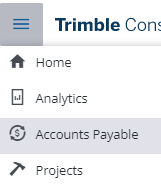
The Accounts Payable page appears.
From the Invoices tab, you can add a batch of invoices or continue working on a batch that you've already started.
From the Completed tab, you can view the batches that you've already completed and sent to your ERP.
Once you are logged in to Trimble Construction One, you can also access Automatic Invoicing from Vista using either
of the following methods:
- From the Vista main menu, select .
- From the AP Unapproved Invoice Entry form, select the Automatic Invoice Entry button below the toolbar.