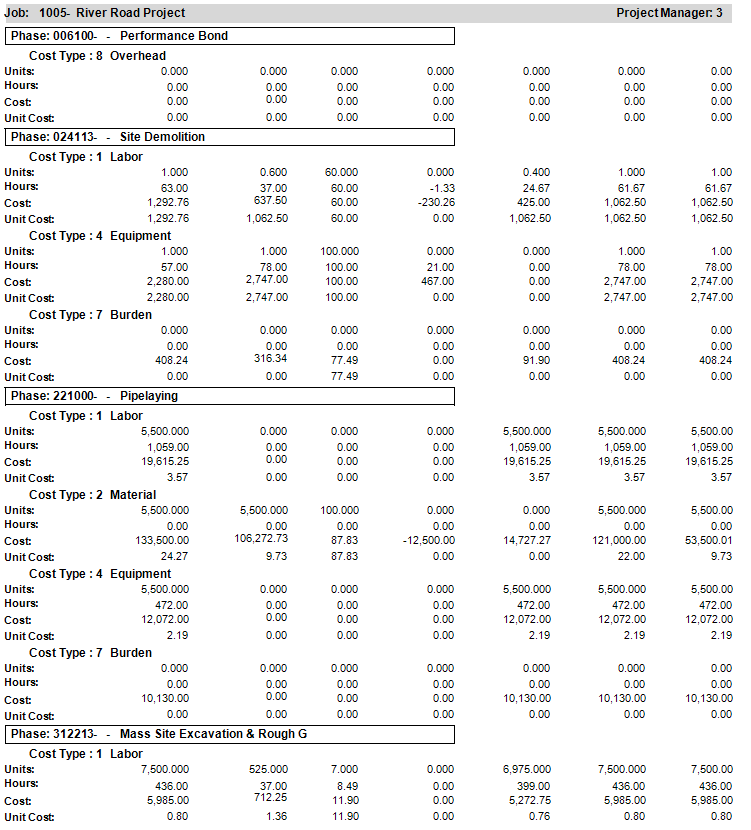
You can use the JC Projections - Cost report by selecting .
This report shows Projected Units, Hours, Cost, and Unit Cost at the Phase/Cost Type level by Job. The Projected Over/Under (Projected Cost - Cur Estimated) and Projected Remaining (Projected - Actual (or Actual + Committed) columns also provide useful job performance information. The column Actual or Actual + Committed changes based on the Projection Method field (on the Projections tab) in JC Company Parameters.
|
Report Parameters |
Description |
|---|---|
|
Company |
Accept the default, or press F4 to select a company. |
|
Beginning Job |
Select the Field Lookup button or press F4 to select the beginning job. |
|
Ending Job |
Select the Field Lookup button or press F4 to select the ending job. |
|
Beginning Phase |
Select the Field Lookup button or press F4 to select the beginning phase. |
|
Ending Phase |
Select the Field Lookup button or press F4 to select the ending phase. |
|
Beginning Cost Type |
Enter or select the applicable beginning cost type. |
|
Ending Cost Type |
Enter or select the applicable ending cost type. |
|
Beginning Project Manager |
Select the Field Lookup button or press F4 to select the beginning project manager. |
|
Ending Project Manager |
Select the Field Lookup button or press F4 to select the ending project manager. |
|
Through Date |
Enter through date (MM/YY). |
|
Print Projection Notes? |
checkbox to print projection notes. |