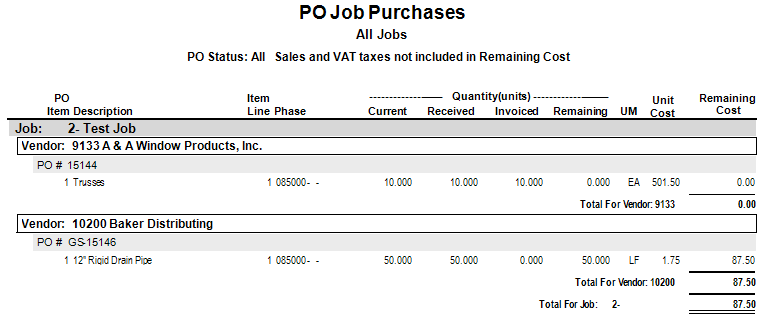
You can use the PO Job Purchases report to print purchase order original, current, received, and invoiced units, as well as remaining cost, by job, vendor, and PO number. To access this report, select .
|
Report Parameters | Description |
|---|---|
|
Company |
Accept the default, or press F4 to select a company. |
|
Beginning JCCo |
Select the Field Lookup button or press F4 to select the beginning job cost company. |
|
Ending JCCo |
Select the Field Lookup button or press F4 to select ending job cost company or leave blank to select all. |
|
Beginning Job |
Select the Field Lookup button or press F4 to select the beginning job. |
|
Ending Job |
Select the Field Lookup button or press F4 to select the ending job. |
|
Print Notes? |
checkbox to print notes. |
|
PO Status: (O)pen, (C)omplete, C(L)osed or (A)ll |
Enter O, C, L, or A. |
|
Show Sales and VAT Tax? |
checkbox to show sales and VAT tax. |